Never nod along to a joke you didn't get
ever again
Late-night monologues, panel shows, stand-up clips, podcasts: half the laughs lean on a reference, a pun, or something that happened last week. The extension spots those moments and tells you what's going on, in a card beside the video, without you leaving the page.
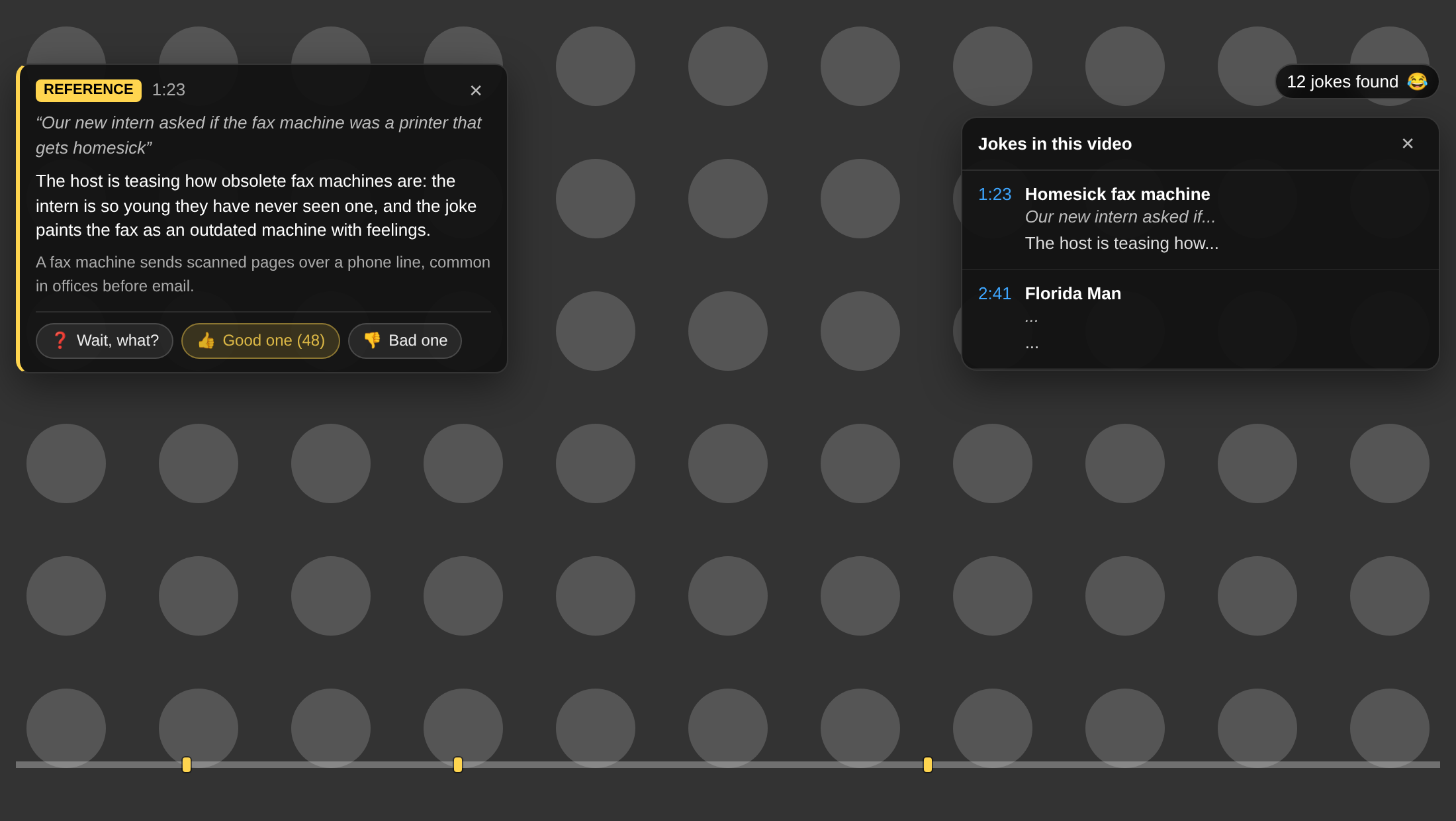
Reads the captions, not your screen
It works on any YouTube video that has captions, human-made or auto-generated. The caption text is sent to our server, analysed once, and shared by everyone who watches the same video. Nothing is recorded from your screen or microphone.
Explains only when you ask
By default a small Explain the joke to me button appears for a few seconds right after a punchline lands. Click it if you missed the joke, ignore it if you didn't. Prefer everything spelled out? Switch to Auto mode and the explanation pops up by itself.
Replay, rate, report
Every explanation comes with Wait, what? to replay the joke, Good one to see how many people laughed with you, and Bad one to tell us the joke was offensive, wasn't a joke, or was explained badly. Your feedback trains what we show next.
Coming soon: your sense of humour, mapped
Every Good one builds a picture of what makes you laugh. We're working on a personal humour profile across platforms, a yearly "the ten funniest things you watched", and a replay button for the days you need it.
How to install
The extension isn't on the Chrome Web Store yet, so it's loaded by hand. It takes about a minute.
- Download the zip above and unzip it somewhere you'll keep it, for example a
Chrome extensionsfolder in your Documents. Chrome loads the extension from that folder every time it starts, so don't delete it afterwards. - In Chrome, click
Windowmenu and selectExtensions, or openchrome://extensions, and switch on Developer mode in the top-right corner. - Click Load unpacked and choose the unzipped
explain-the-joke-0.2.2folder. - Open any YouTube video that has captions. Look for the 😂 in the top-right corner of the player: hover it to see the status, click it for the full list of jokes. Click the extension's icon in Chrome's toolbar to change the mode, the language of the explanations, and other settings.